Lab#RE08-1: Cart Shopping Context

ReactJS labs

reactjs
lab
Lab#RE08
labs
Author

albertprofe

Published

Sunday, November 22, 2026

Modified

Sunday, November 22, 2026

📘 React JS Lab#RE08-1: Cart Shopping Context

In this lab, we’ll build a small shop with React to see how context works. The project is Cart Shopping Context.

Here’s an overview of what we’ll cover:

  1. Project Setup: we’ll create a new React project with Vite.
  2. Context API: we’ll create a CartContext, wrap the tree in a CartProvider that owns the state, and read or update that state from components in two different branches.
  3. A custom hook: a small useCart hook keeps the consumers tidy.
  4. No prop drilling: Product and CartBadge share the cart count without passing props through Header, Main, or ProductList.

By the end of this lab, you’ll have a working shop where Add to cart in the main column updates the badge in the header, and you’ll know why that works.


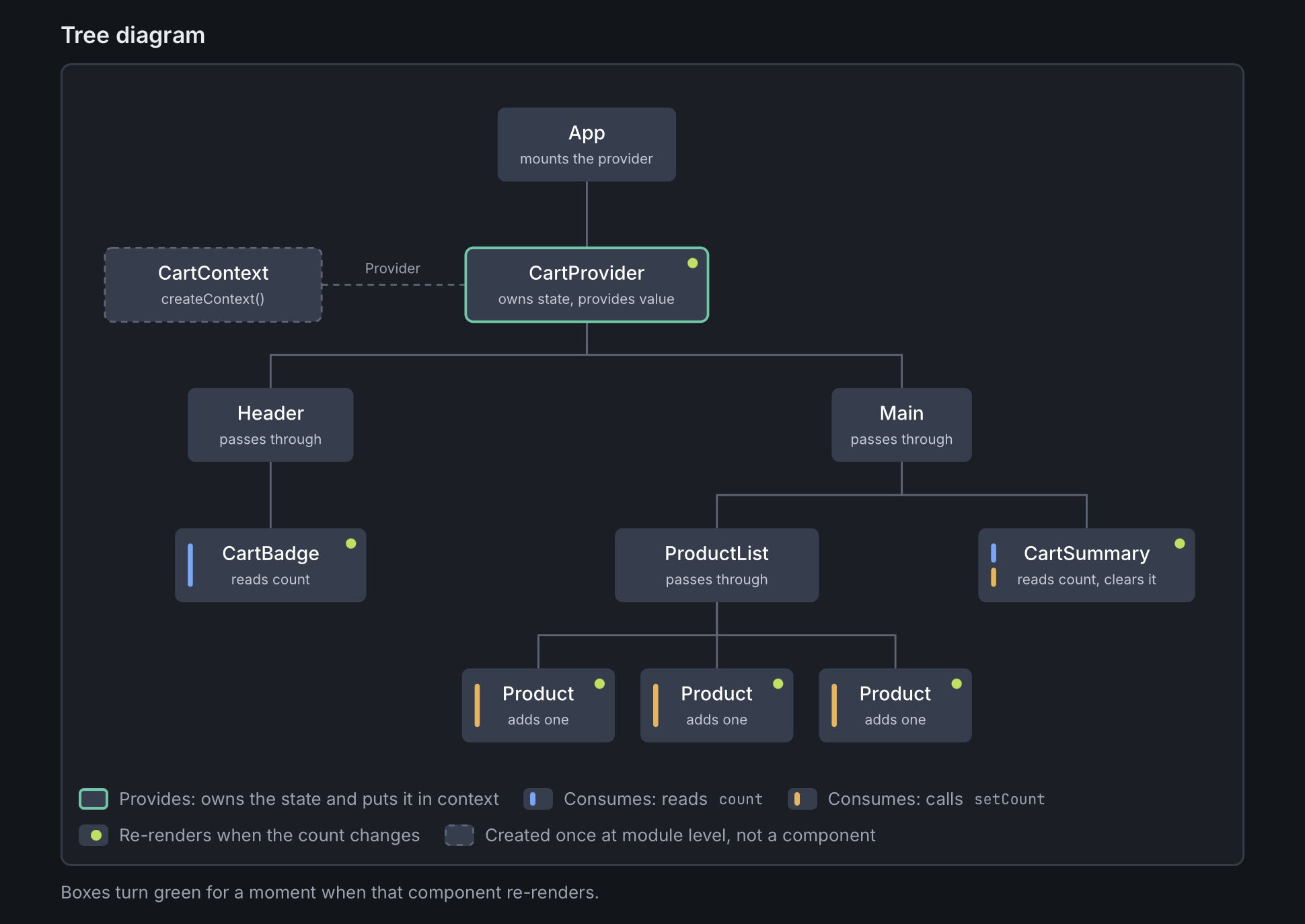
Tree diagram: App mounts CartProvider, which provides CartContext to two branches. Header contains CartBadge; Main contains ProductList and CartSummary.

Tree diagram: App mounts CartProvider, which provides CartContext to two branches. Header contains CartBadge; Main contains ProductList and CartSummary.

Open the interactive Cart Context Demo

The still above is the component tree. The demo is the same diagram, live: boxes flash when that component re-renders.

1 References

2 Create project

2.1 Vite

Next Generation Frontend Tooling: Get ready for a development environment that can finally catch up with you.

To create a new Vite project, open your terminal and run:

bash.sh
npm create vite@latest cartShoppingContext -- --template react
cd cartShoppingContext
npm install
npm run dev

The React team deprecated Create React App in February 2025. For new React apps, Vite is the recommended starting point.

This lab’s scaffold is v0.0 on the GitHub repo: cartShoppingContext v0.0

3 Project tree

Each component lives in its own folder. The context and the hook have their own folders too; there is no single shared components/ bag.

tree
src/
  App.jsx
  main.jsx
  context/CartContext.jsx    # createContext + CartProvider
  hooks/useCart.js
  Header/Header.jsx
  CartBadge/CartBadge.jsx
  Main/Main.jsx
  ProductList/ProductList.jsx
  Product/Product.jsx
  CartSummary/CartSummary.jsx

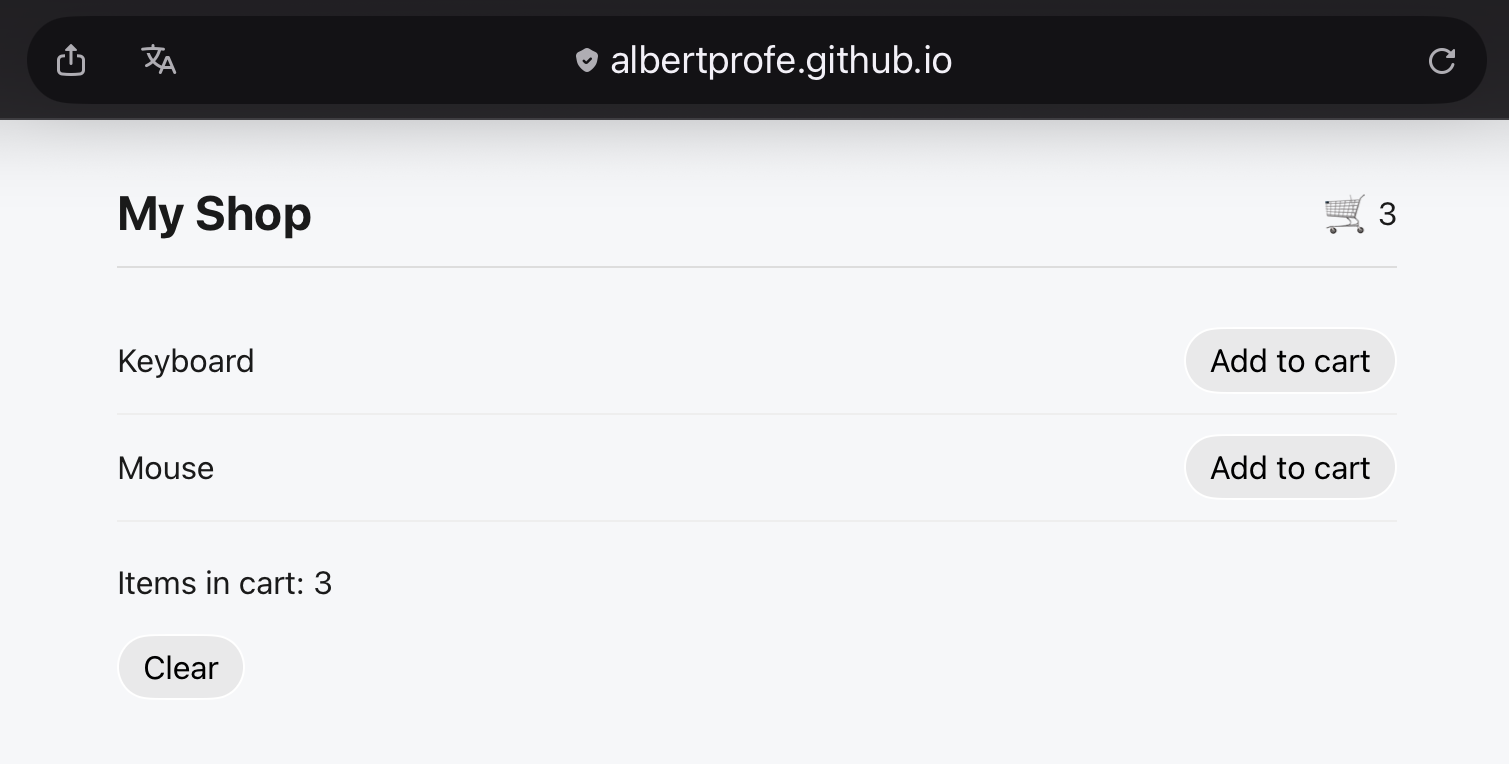
The shop lists two products: Keyboard and Mouse.

4 Step-by-step code

This is v0.1: the cart example, split into those folders. cartShoppingContext v0.1

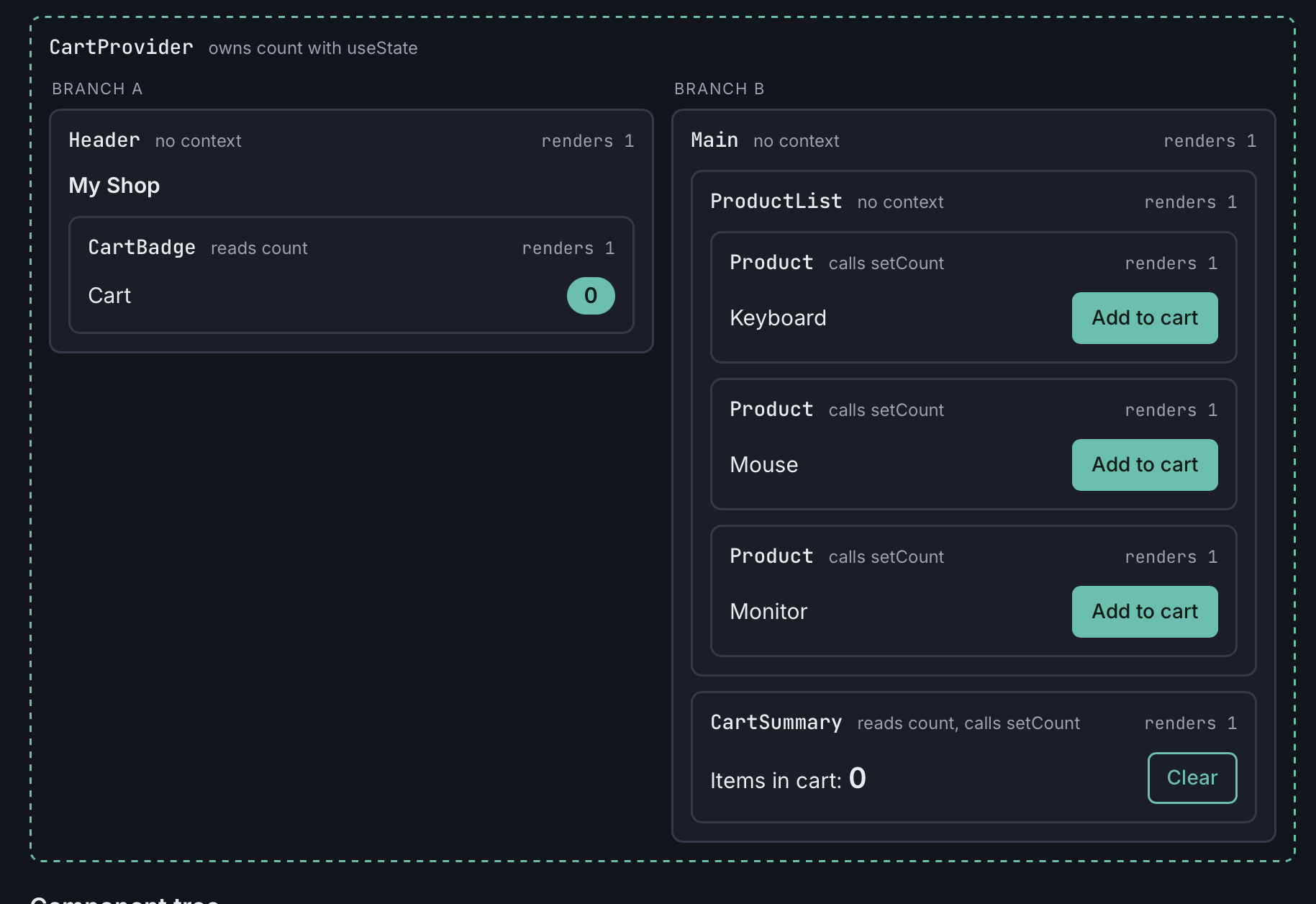
Playground render of the live UI, nested by component. This is an illustration of the demo, not a spec for the code.

Playground render of the live UI, nested by component. This is an illustration of the demo, not a spec for the code.

Open the interactive Cart Context Demo

4.1 Create the context

CartContext is created once at module level. It is not a component. CartProvider owns the state — a count held in useState(0) — and exposes { count, setCount } through the provider.

src/context/CartContext.jsx
import { createContext, useState } from "react";

export const CartContext = createContext();

export function CartProvider({ children }) {
  const [count, setCount] = useState(0);
  return (
    <CartContext.Provider value={{ count, setCount }}>
      {children}
    </CartContext.Provider>
  );
}

The provider is the only place that owns the count. Everyone else either reads it, updates it, or just passes children through.

4.2 The useCart hook

A small custom hook so consumers stay tidy. They call useCart() instead of useContext(CartContext) everywhere.

src/hooks/useCart.js
import { useContext } from "react";
import { CartContext } from "../context/CartContext";

export const useCart = () => useContext(CartContext);

4.3 Branch A: header

Header does not touch the context. It only lays out the title and the badge. CartBadge reads count and shows it.

src/Header/Header.jsx
import { CartBadge } from "../CartBadge/CartBadge";

export function Header() {
  return (
    <header>
      <h1>My Shop</h1>
      <CartBadge />
    </header>
  );
}
src/CartBadge/CartBadge.jsx
import { useCart } from "../hooks/useCart";

export function CartBadge() {
  const { count } = useCart();
  return <span>🛒 {count}</span>;
}

4.4 Branch B: main content

Main and ProductList also pass through: no cart props. Each Product calls setCount when you click Add to cart. CartSummary reads the count and can clear it.

src/Main/Main.jsx
import { ProductList } from "../ProductList/ProductList";
import { CartSummary } from "../CartSummary/CartSummary";

export function Main() {
  return (
    <main>
      <ProductList />
      <CartSummary />
    </main>
  );
}
src/ProductList/ProductList.jsx
import { Product } from "../Product/Product";

export function ProductList() {
  return (
    <ul>
      <Product name="Keyboard" />
      <Product name="Mouse" />
    </ul>
  );
}
src/Product/Product.jsx
import { useCart } from "../hooks/useCart";

export function Product({ name }) {
  const { setCount } = useCart();
  return (
    <li>
      {name}{" "}
      <button onClick={() => setCount((c) => c + 1)}>Add to cart</button>
    </li>
  );
}
src/CartSummary/CartSummary.jsx
import { useCart } from "../hooks/useCart";

export function CartSummary() {
  const { count, setCount } = useCart();
  return (
    <div>
      <p>Items in cart: {count}</p>
      <button onClick={() => setCount(0)}>Clear</button>
    </div>
  );
}

4.5 Root: App

App mounts the provider around both branches. It does not read or write the cart itself.

src/App.jsx
import { CartProvider } from "./context/CartContext";
import { Header } from "./Header/Header";
import { Main } from "./Main/Main";
import "./App.css";

function App() {
  return (
    <CartProvider>
      <Header />
      <Main />
    </CartProvider>
  );
}

export default App;

The entry file stays the Vite default: createRoot and StrictMode in src/main.jsx.

5 What to notice

  • Product and CartBadge are in different branches with no common props. Clicking Add to cart updates the header badge.
  • Without context, you’d lift count into App and pass it down through Main, ProductList, Header, and so on (prop drilling).
  • Every consumer re-renders when the context value changes. That’s fine here, but it’s why big apps split contexts (for example a separate CartContext and ThemeContext).

The playground in the margin (and the interactive demo) is only an illustration of that idea. The lab code itself has two products, Keyboard and Mouse.
6 Next lab

The next step is Lab#RE08-2: Cart Shopping Context with useReducer: the cart becomes an array of {id, name, qty, price}, managed with useReducer.

7 Next features

These later steps are not in v0.1 (nor in v0.2):

  • A theme toggle (dark / light) read by many components. That would be its own ThemeContext, not more fields on the cart.
  • A logged-in user shown in the navbar and used by a profile page. Again, a separate UserContext.

8 Code

Code Version Commit Folder-Tree Output
GitHub code v0.0 create project (React Vite) repo at v0.0
GitHub code v0.1 split cart context into folders: CartProvider, useCart, and one folder per component repo at v0.1 tree diagram, playground render, interactive demo

9 Live demo

The v0.1 build is running on GitHub Pages:

Cart Shopping Context (v0.1)

The v0.1 build running on GitHub Pages.

The v0.1 build running on GitHub Pages.
Back to top